Point of sale for retail & wholesale

Faster sales, accurate stock, clear credit
in one system

Posaro brings checkout, inventory, members, customer credit and Thai tax into one program. Run it on your shop computer or in the cloud — across multiple terminals and branches — and keep selling even when the internet drops.

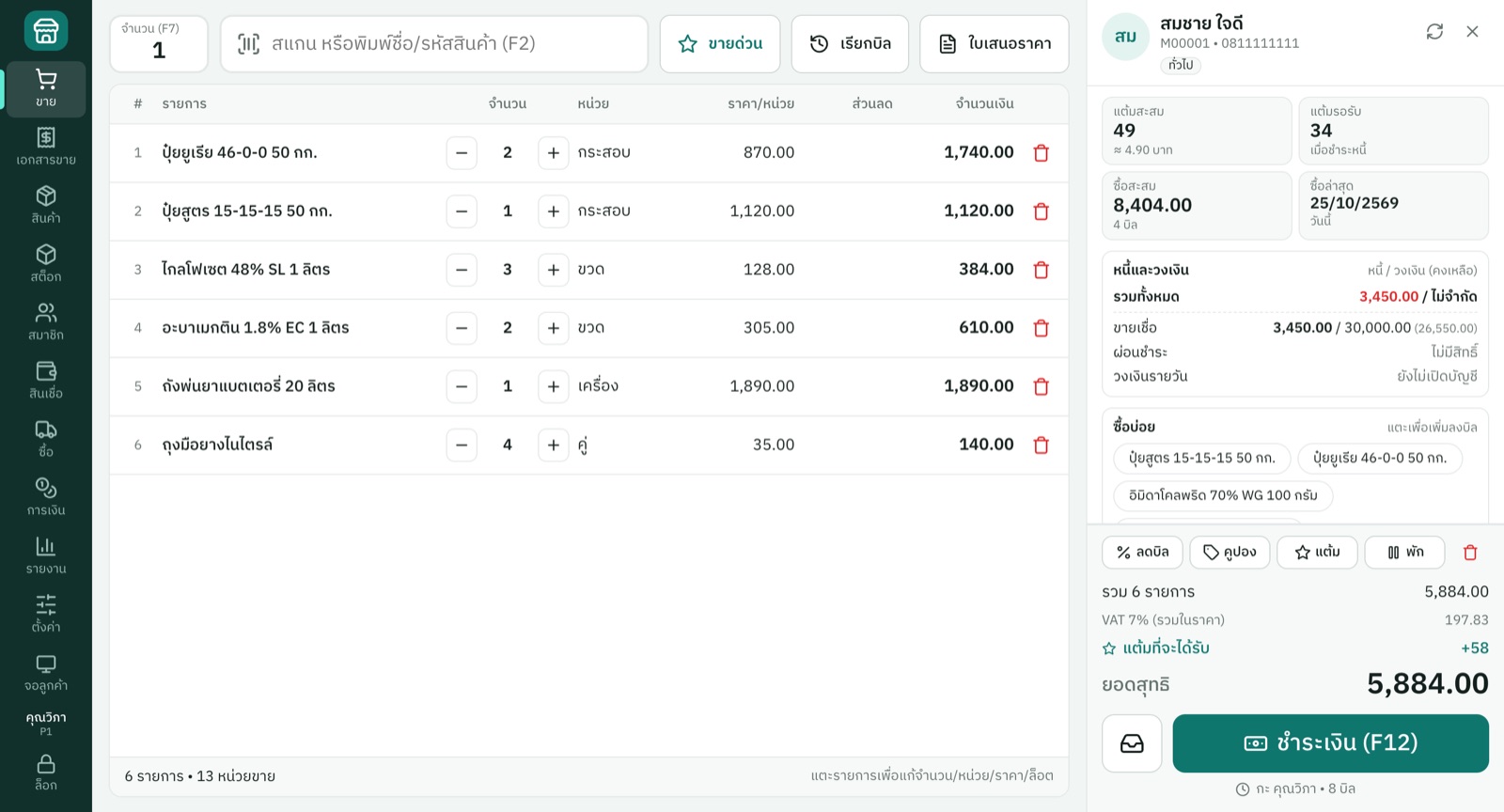
Posaro checkout screen
  • Windows & MacRuns on both platforms
  • Works offlineBills sync when you are back online
  • Daily backupsAutomatic, and downloadable anytime
  • Thai tax readyVAT, tax invoices, P.P.30

One program, two ways

Choose the setup that fits your shop

Pick one the first time you open the program — and we can move your data from the shop to the cloud later.

Posaro On-premise

Data stays on your shop computer — ideal for single-terminal shops.

  • Data in your own MySQL database
  • Sell without relying on the internet
  • Automatic daily backups on the computer
  • 30-day free trial, then buy a license

See all pricing

Features

Everything your shop runs on, in one program

Fast checkout

Barcode scanning, quick-sale buttons, multiple units, sell by weight or length, held bills and split payments.

Accurate stock

Multiple warehouses and branches, lots and expiry dates, stock counts, transfers, purchasing and reorder suggestions.

Members & promotions

Member tiers, loyalty points, coupons, gift vouchers and flexible promotions.

Credit & installments

Per-member credit limits, invoice-level receivables, installment contracts, daily-interest credit lines and collections.

Tax & documents

VAT-registered or not, full and abbreviated tax invoices, tax reports, and fully customizable documents.

Terminals & branches

PIN sign-in, per-user permissions, supervisor PIN approval and a full audit log.

In-depth reports

Sales, profit, stock, receivables, shifts and cash drawers — export to CSV or print.

Hardware ready

Scanners, receipt printers, A4 documents, label printers, cash drawers and customer displays.

Industry toolkit

Purpose-built for agricultural chemical shops

The tools fertilizer and crop-protection retailers actually use — ready from day one.

  • A database of 287 active ingredients with mode-of-action groups and cited sources
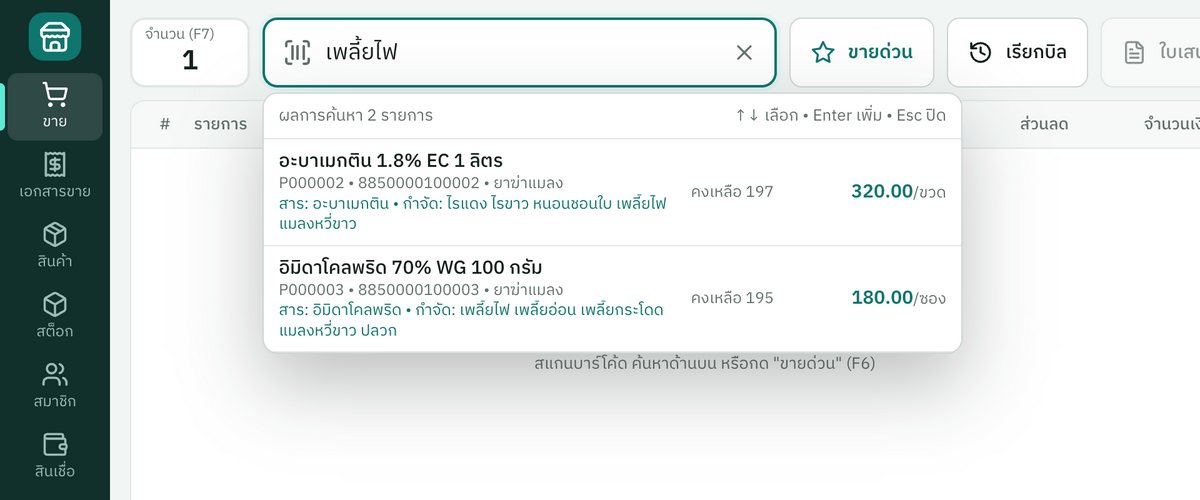
  • Warnings for banned and restricted substances right at checkout
  • Find products by pest name, e.g. "thrips"
  • Field plots, crop cycles and warnings against repeating the same mode of action
  • Permit register, hazardous-substance reports and produce buy-back against debt

Details

Purpose-built for agricultural chemical shops

Security

Your shop data stays safe — and stays yours

Separate database per shop

Every cloud shop has its own database, never mixed with other shops.

Encrypted connections

All traffic uses HTTPS, and each terminal must be paired with a code from the shop owner.

Daily backups

Automatic backups, and owners can download a copy whenever they like.

Permissions & audit trail

Set permissions per person and keep a record of every change.

Getting started

Start selling in a few steps

  1. 1

    Sign up or download

    Open a cloud shop, or download the program and install it in your shop.

  2. 2

    Set up your shop

    Enter your shop, tax and product details, then give each staff member a PIN.

  3. 3

    Start selling

    Plug in your scanner and printer and start selling right away.

Frequently asked questions

What kind of shops is Posaro for?

Retail and wholesale shops such as mini-marts, building-supply and spare-parts stores — with a dedicated toolkit for agricultural chemical shops. Restaurants that need table or kitchen-order features are not supported yet.

What is the difference between Cloud and On-premise?

Cloud keeps your data on our servers, supports multiple terminals and branches, and can be opened from anywhere. On-premise keeps data on your shop computer and suits shops with a single terminal.

Can I still sell if the internet goes down?

Yes. Terminals that have signed in before can keep selling with cash, QR or transfer and print receipts; bills sync automatically when the connection returns. On-premise does not need the internet to sell at all.

How do I pay?

Scan the PromptPay QR code and attach the transfer slip in the program or on the website. Once the slip is verified, your service is extended and you are notified by SMS or email.

Which hardware works with Posaro?

Any keyboard-mode barcode scanner, 58/80 mm ESC/POS receipt printers, regular document printers, TSPL/ZPL label printers, cash drawers, and a second screen or tablet as a customer display.

Ready to make running your shop easier?

See our products and pricing, or download the program to try it in your shop.